

Maybe Google is showing a red warning in front of your site. Maybe a customer has sent you a screenshot of a page you never made, or your login suddenly doesn’t work. Whatever tipped you off, start by taking a breath. A hacked website can almost always be cleaned up and put back, and rushing usually makes the job bigger.
If you’d rather hand it over, send us your website address and we’ll do it for you. If you want to start yourself, this is what I’d do, in this order.
The first hour
Leave it as it is
Leave the strange files and pages where they are for now. They show how someone got in, and whoever cleans up the site needs to see them.
Change your passwords
The website login, your hosting account, the email address linked to the site and any FTP account. Do it from a computer you trust.
Check who’s an admin
An admin user you don’t recognise is one of the most common signs. Write the name down before you remove it.
Tell your host
Your hosting company can see the server logs, and they may need to know before the problem spreads.
Find your backup
Find your most recent backup and check the date it was made.
Write it down
Note what you noticed, and when: the warning, the strange page, the email that bounced. The dates help find a clean backup.
What not to do
Don’t restore too early.
Wait until you know roughly when the hack happened. A backup made after the break-in brings the problem straight back.
Don’t just delete and carry on.
Deleting the odd pages doesn’t fix it. If the way in is still open, whoever used it can come back the same way.
Don’t add plugins in a hurry.
A plugin that promises a one-click fix is one more thing to keep updated, which is part of how sites get into trouble in the first place.
Don’t guess if you’re unsure.
If you’re not sure what you’re looking at, ask before you delete anything. A half-finished clean-up can leave the way back in open, and we’re happy to take it over.
Why it happens to small sites
In one week, the firewall on our own site stopped 3,976 attacks. Of those, 3,950 were robots guessing login details. Nobody was after a small design studio in Pretoria personally. Robots try every site they can find and keep going until one has a weakness.
The weaknesses are usually ordinary ones:
Updates left waiting
A plugin, a theme or WordPress itself that hasn’t been updated, with a hole the robots already know about.
Weak passwords
A password that’s easy to guess, or one that’s used on other sites too.
Forgotten copies
An old copy of the site left online, like the forgotten test copy I found on our own site.
Plugins nobody uses
Still installed, still out of date, and still a way in.
How we clean up a hacked site
We look after websites together with our partner Adorn Media Studio, who handle the technical side. A clean-up runs the same way whether we built the site or someone else did, in three stages.
We start as soon as possible. Clients on our technical maintenance get priority. If your site isn’t on maintenance with us, we first ask whether you’d like a security audit. Audits aren’t free, so we quote them before any work starts.
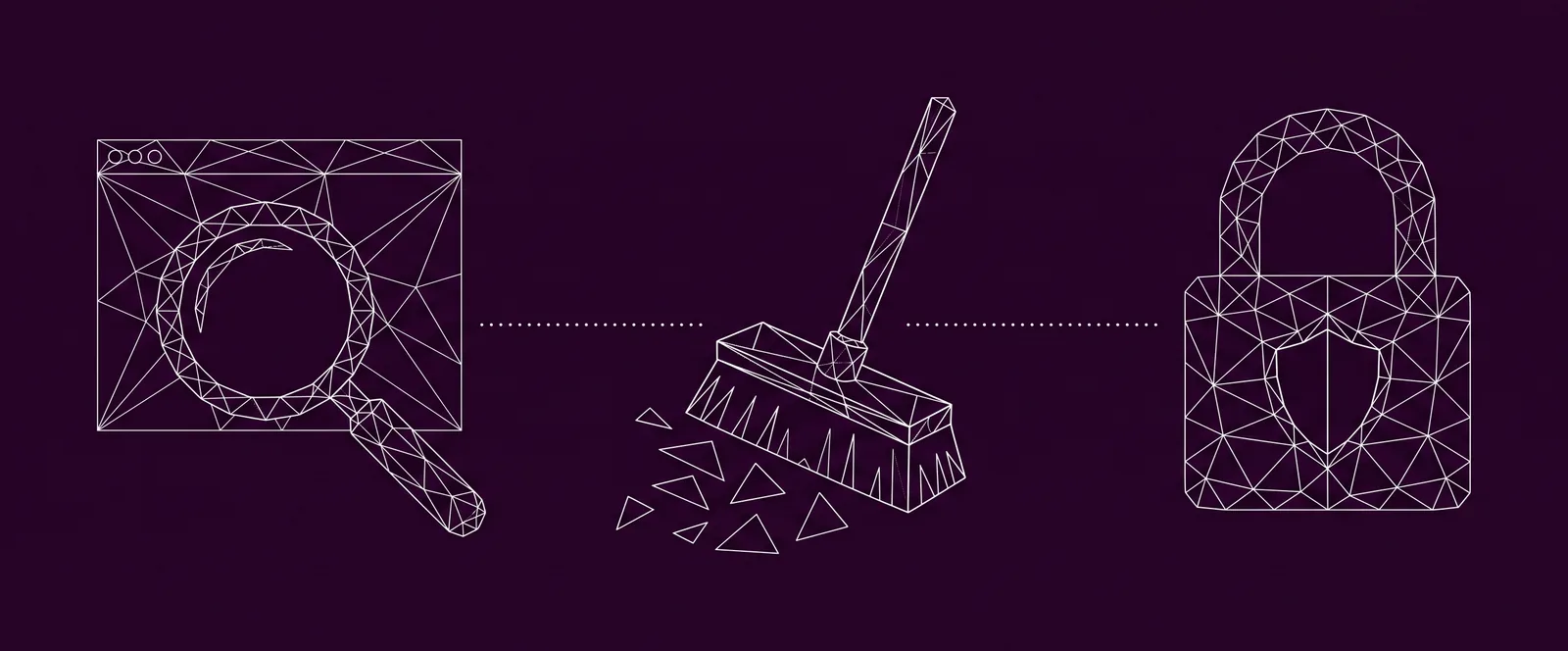
Look before touching anything
Clean
Lock it down
Once the site is clean, we ask Google to look at it again and keep an eye on it for the next few weeks. You get a short report in plain language: what happened, what we fixed and what comes next.
We quote the clean-up before we start, and any extra time is approved by you first. No website can be guaranteed safe forever, but these steps make it a lot harder to get in. To keep it that way, a monthly security check covers the updates, the scan results, the backups, the users and logins, and Google, with a short report each month.
A clean-up with the lock-down starts at R2 520R2 520, and the monthly security check is R630R630 a month.

Keeping it from happening again
A clean site only stays clean if somebody keeps checking it. These are the habits that close most of the doors robots try:
Backups that run on their own
Kept away from the website itself.
Monthly updates
Checked, so the site still works afterwards.
Strong passwords
Not used anywhere else, with two-step login on admin accounts.
Only the plugins you need
Which is why we cut our own site from 23 plugins to 8.
No forgotten copies
No old copies or test sites left online.
The full checklist, with what to check monthly, every three months and yearly, is in why your website needs maintenance. If the site is old and has collected years of add-ons, a rebuild can be the cheaper fix in the long run, and our website design page explains how that works.
Questions about hacked websites
01
How do I know if my website has been hacked?
The common signs are a security warning from Google or your browser, pages or links you didn’t add, visitors being sent to another site, a login that stops working, or a message from your host saying the account has been suspended.
02
Will my site disappear from Google?
While Google flags a site, it can show visitors a warning before they reach it. Once the site is clean, you ask for a review in Search Console’s Security issues report, and the warning comes off when Google is satisfied.
03
Can a small business website really be a target?
Yes. The robots that attack sites don’t care how big your business is. Our own site saw 3,950 login guesses in a single week.
04
Is restoring a backup enough?
Only if the backup was made before the hack, and the way in is closed afterwards. Otherwise the same problem comes back.
05
Can you fix a hacked website you didn’t build?
Yes. A clean-up runs the same way whether we built the site or someone else did. Send us the address and tell us what you’ve noticed.
06
How much does it cost to fix a hacked website?
A clean-up with the lock-down starts at R2 520R2 520. Every site is different, so we quote it before we start, and any extra time is approved by you first.
07
How quickly can you help?
As soon as possible. Clients on our technical maintenance get priority. For other sites, we first ask whether you’d like a security audit, which we quote before any work starts.
Need help with a hacked website?
If your site has been hacked, or you’re not comfortable doing any of the steps above yourself, you don’t have to do it alone. Send us the address below and tell us what you’ve noticed, and we’ll take it from there. It also works if you’d just like someone to check your site before anything goes wrong.